

































Scheduling file transfers is a capability of most modern managed file transfer (MFT) technologies. Using an MFT solution to automate file transfers based on time or an event removes the heavy lifting from a user, saving time and resources while avoiding errors.
Additionally, managed file transfer software enables easy connection to a variety of endpoints: Microsoft Azure, AWS clouds, or SFTP servers to name a few. Likewise, multiple secure protocols such as SFTP, FTPS and HTTPS are available to achieve compliance with corporate or industry compliance regulations, standards and policies.
Benefits of Scheduling File Transfers Using MFT
The following additional benefits result from scheduling file transfers with a modern cloud-based MFT solution:
- Non-technical personnel can use the no-code user interface to simply fill in the blanks for setting up the schedule. Instead of writing and troubleshooting code, set up connections and then test with a click of a button.
- Simply schedule file transfers to or from multiple targets or sources. Workflow subscriptions enable many-to-many file transfers using one workflow and multiple endpoints.
- No need to rely on numerous tools to perform additional actions such as file renaming, compression and retention. This additional functionality is accessed within just the one MFT solution interface.
- Full visibility of file and user activity is provided by easy-to-read activity tracking screen, notifications, alerts and audit log. You are alerted if the scheduled file transfer does not go through and can track its status in the activity view.
- Security of the scheduled file transfer in transit and at rest is ensured by multi-factor authentication and end-to-end encryption (E2EE).
Now that you understand the why and benefits around using MFT to schedule file transfers, let’s look at how to schedule file transfers using Boomi MFT’s web-based interface in the next section.
How to Schedule File Transfers
Boomi Managed File Transfer provides an easy-to-use editor to schedule file pick-ups and drop-offs.
Scheduling File Transfers on Source Endpoints
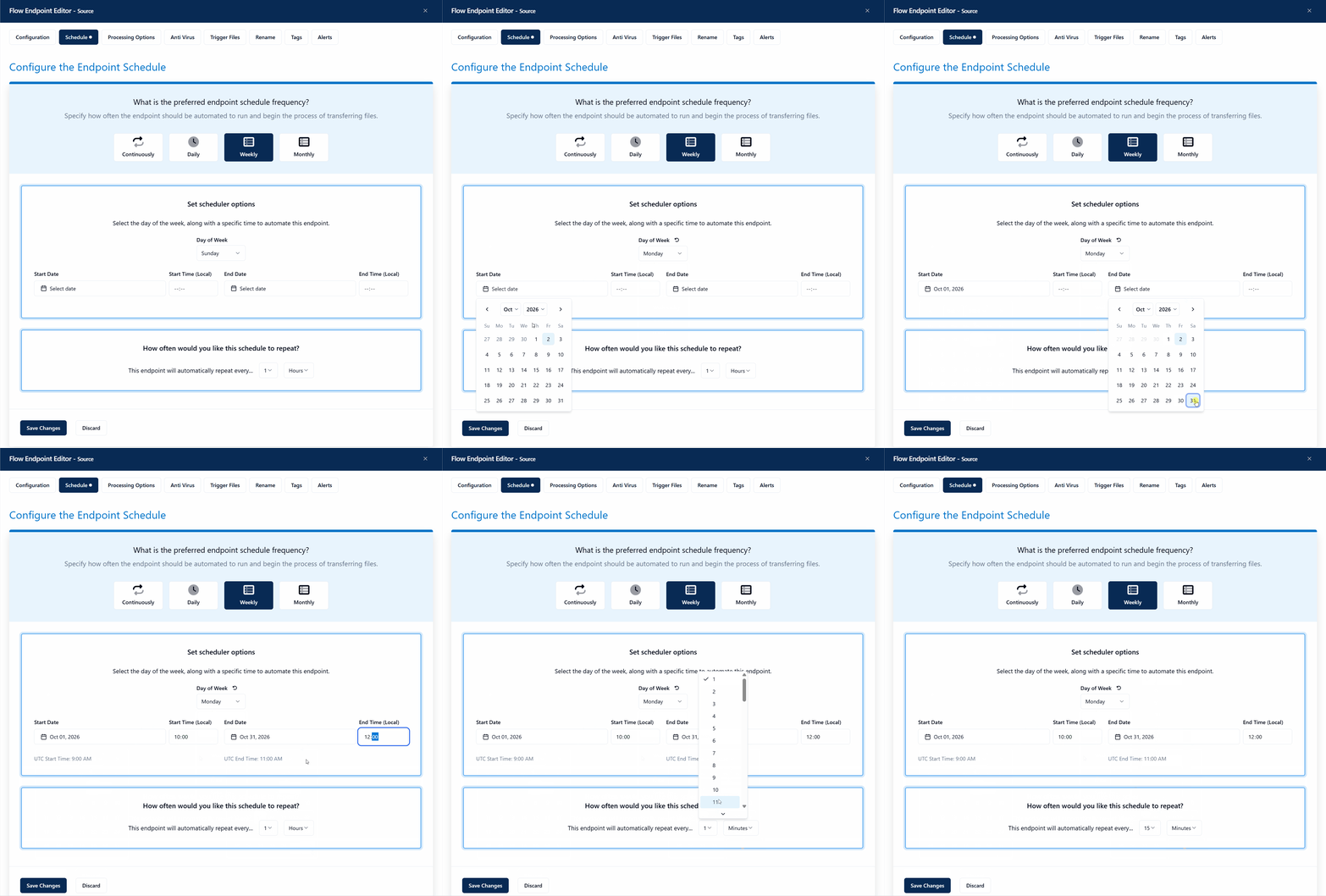
There are four schedule frequency options for source endpoints:
- Continuously
- Daily
- Weekly
- Monthly
This animated screenshot shows an example of setting up a weekly scheduled file transfer for a source endpoint.
Scheduling File Transfers on Target Endpoints
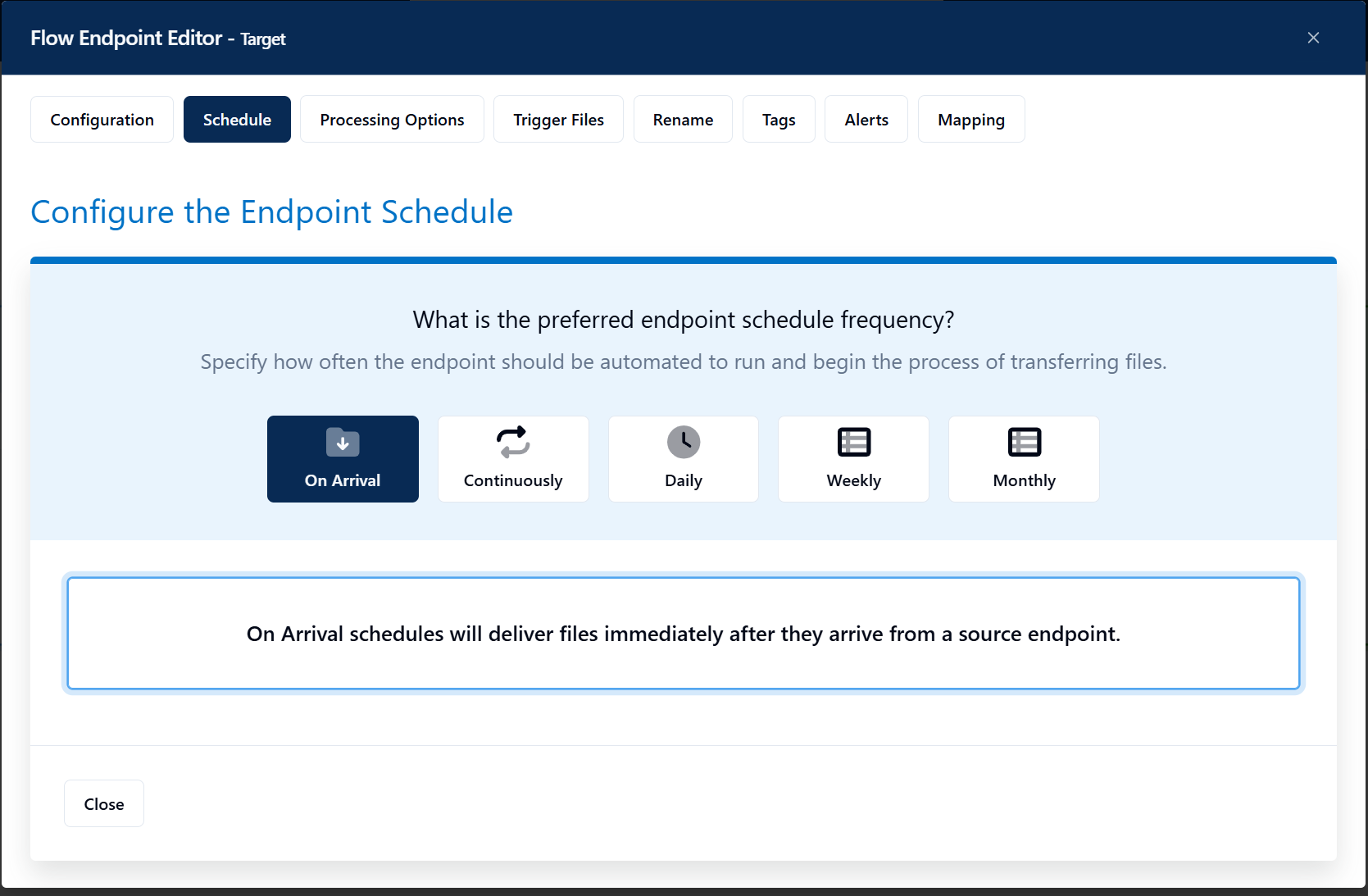
Target endpoints have the same schedule frequency options as source endpoints, along with an additional option, On Arrival. The On Arrival option enables files to be delivered immediately after they arrive from a source endpoint.
Scheduled File Transfer Alternative
While scheduling file transfers on a time basis has been around for a while, there is a different, more efficient way to ensure your files are picked up from their source(s) and delivered to the target(s) in a timely manner. Instead, use Boomi’s MFT API to trigger a pull or push event.
If you know files are available at a particular source endpoint, use the API to trigger an endpoint to run immediately instead of waiting for a scheduled time. An event triggers an API to inform an integration application that new files are waiting for collection, which in turn calls the API to execute that flow endpoint to “run now” instead of waiting for the schedule.
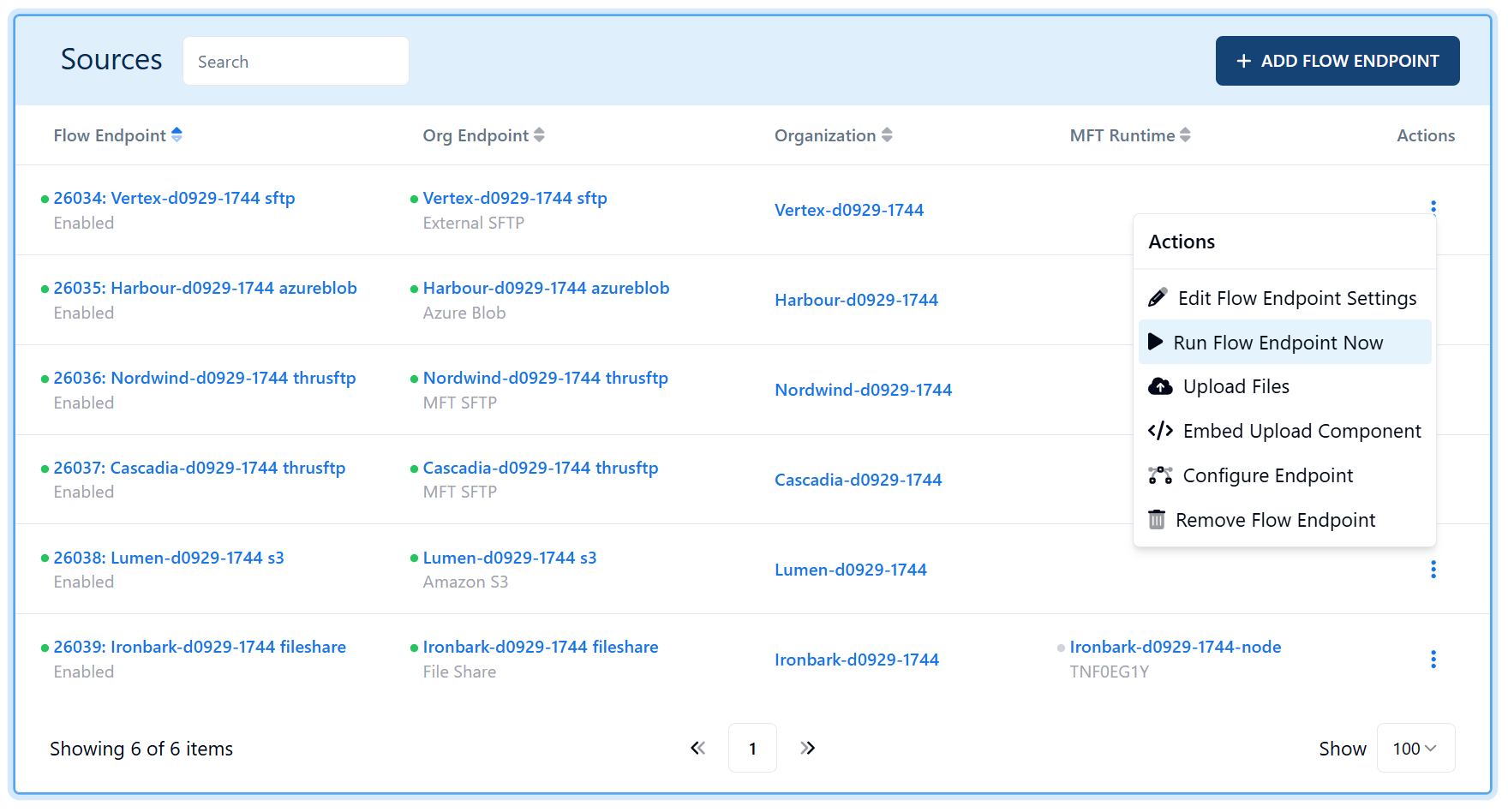
Likewise for an outbound event: An outbound system or application wants to receive files waiting at a particular time. Boomi MFT’s Activity API is used to know whether new files are waiting for collection or delivery. You can invoke an API call to trigger the outbound target endpoint to run the flow endpoint immediately. The files are pushed when an event triggers, not according to a set schedule.
Boomi MFT Service Enables Efficient, Timely File Transfers
Whichever method you want to use to automate your files for scheduled delivery, Boomi MFT can help you out. Book a custom demo to discuss your secure file transfer needs with our experienced team.